


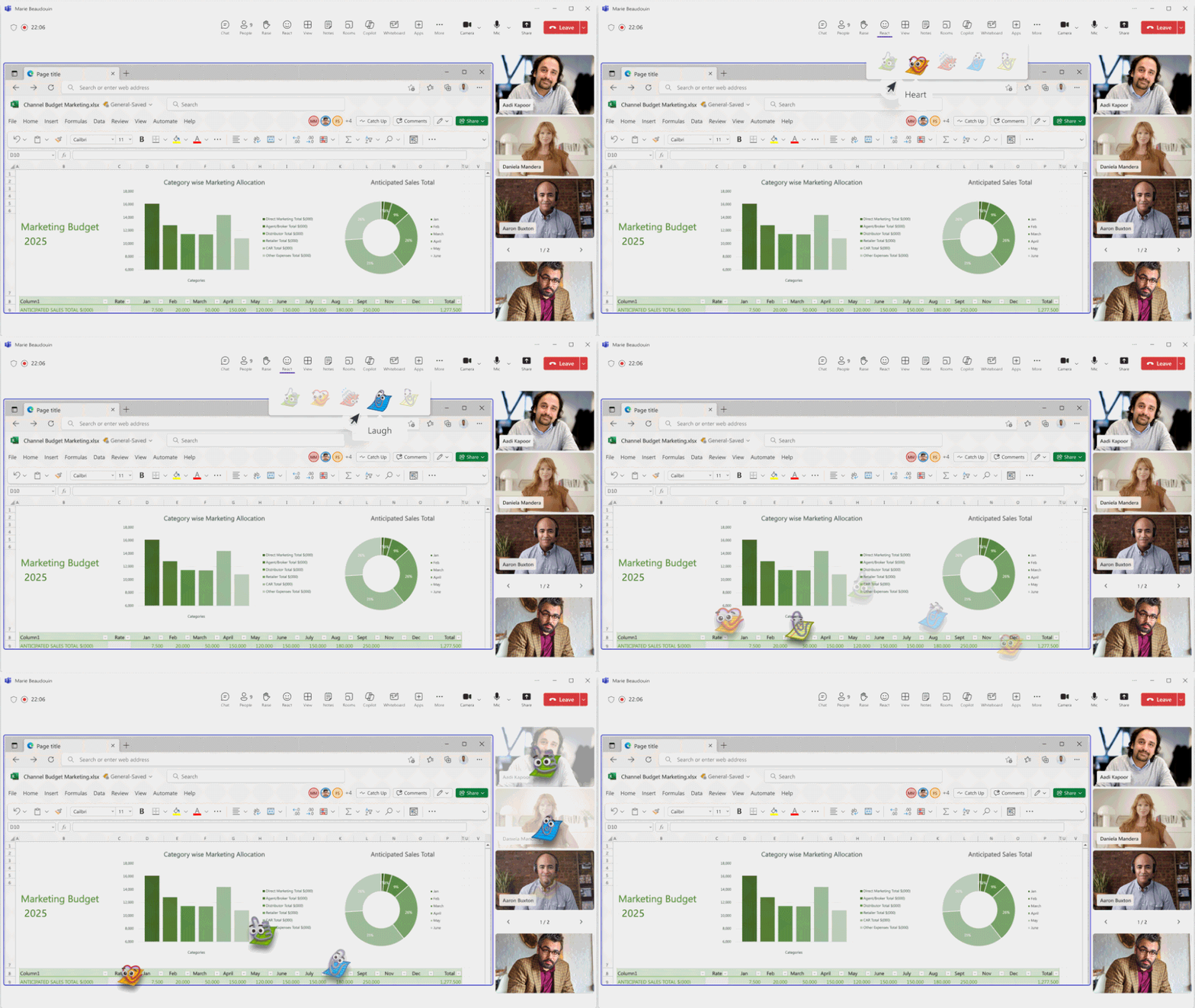
An organization’s visual identity is no longer limited to logos, websites, or PowerPoint presentations. In a world where virtual meetings play a central role in our daily lives, Microsoft is now extending branding directly into Teams meetings with a new feature: Branded Meeting Reactions.
What are Branded Reactions?
Branded Meeting Reactions allow Teams administrators to replace the five native reactions:
- 👍 Like
- ❤️ I love it
- 👏 Applause
- 😂 Laughter
- 😮 Surprise
with fully customized visuals that reflect the company’s identity or the theme of a specific event. Organizations will be able to use, among other things:
- Corporate Logos
- Mascots
- Characters associated with the brand
- Icons from marketing campaigns
- Seasonal or event-based visuals
For example, a simple round of applause can be turned into an interactive element featuring your company’s colors, while a thumbs-up can incorporate a graphic element specific to your visual identity.
How do we enable this new feature?
Administration is performed through the personalization policies in the Teams Admin Center.
Administrators can, among other things:
- Upload their own images
- Create different themes
- Assign these themes to user groups
- Set default reactions or keep the ones from Microsoft Teams
Next, meeting organizers can select the desired theme when planning their meetings to provide a personalized experience for all participants.

