
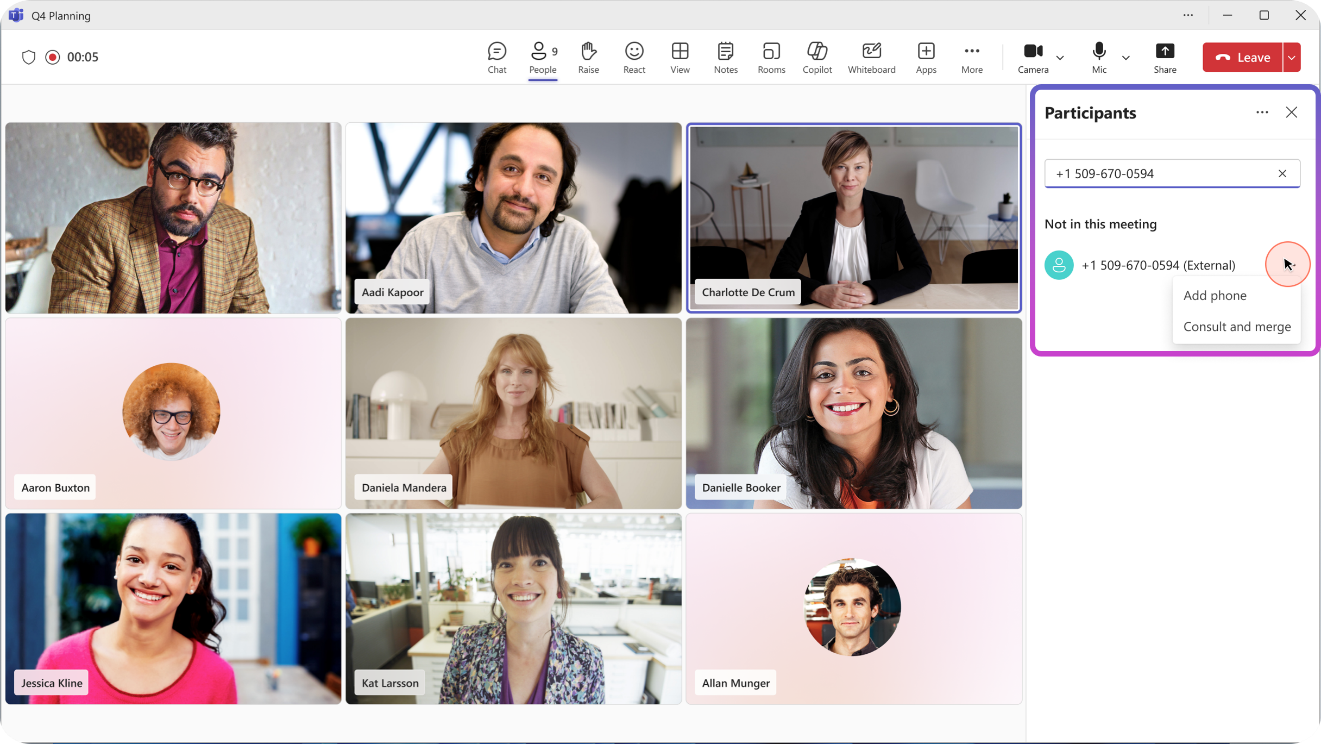
View and merge a PSTN participant during a Teams meeting

Here’s a small new feature that might fly under the radar, but it’s sure to appeal to anyone who uses Teams as their primary communication platform.

Microsoft now allows meeting organizers to add and merge a PSTN participant into a Teams meeting, even when that participant is behind an automated voice menu (IVR) that requires the use of DTMF tones (the familiar 0 through 9, *, and # keys).

A very concrete example

Imagine you’re in the workshop with a customer and a very specific technical question comes up regarding a telephone line or a contract with a service provider.

You need to contact an outside expert.
You dial the number from Teams, but the call goes to an automated switchboard:

“For technical support, press 1. For professional services, press 2…”

Until now, this kind of scenario could quickly become frustrating.
With this new feature, you can navigate the voice menu directly from Teams, speak with the expert privately to provide context, and then bring them into the meeting once they’re ready to participate.

After making its way through the OCS, Lync, Skype for Business, and now Teams generations, this feature is one of those that always seemed to remain on customers’ wish lists. I’ll finally be able to stop saying ā€œnot yetā€ and start saying ā€œyes, it’s included in Teams.ā€ A little moment of personal satisfaction, I’ll admit. šŸ˜„

Who is this useful for?

This improvement is particularly valuable for organizations that regularly collaborate with:

  • suppliers
  • partners
  • support centers
  • external experts
  • services accessible only via a PSTN number.

It’s the kind of feature you might not use every day, but when you need it, it saves you a lot of steps and makes the experience much smoother.

Limitations

As is often the case with advanced calling features in Teams, there are a few requirements and limitations to keep in mind before planning to use them.
  • This feature is not supported for calls made on shared lines in delegation scenarios between a manager and their delegates.
  • To use ” Consult and Merge During a Meeting,” the organizer must have an Audio Conferencing license or a PSTN license. Please also note that this feature is not supported in events, webinars, or Town Halls.
  • The DTMF keypad is available only during the consultation call. Once the call is merged into the meeting, the keypad disappears and is no longer accessible.

    My Opinion

    I especially like this kind of new feature.

    Microsoft continues to reduce friction between the Teams ecosystem and traditional telephony, further strengthening Teams’ position as a unified communications platform.

    šŸ”—Sources

Leave a Reply

Your email address will not be published. Required fields are marked *

Share this article

Want to migrate or connect your phone system to Teams?

Write to me and let's keep in touch!

small_c_popup.png

Contact form

Let's discuss your projects together

small_c_popup.png

Contact form

Let's discuss your projects together