


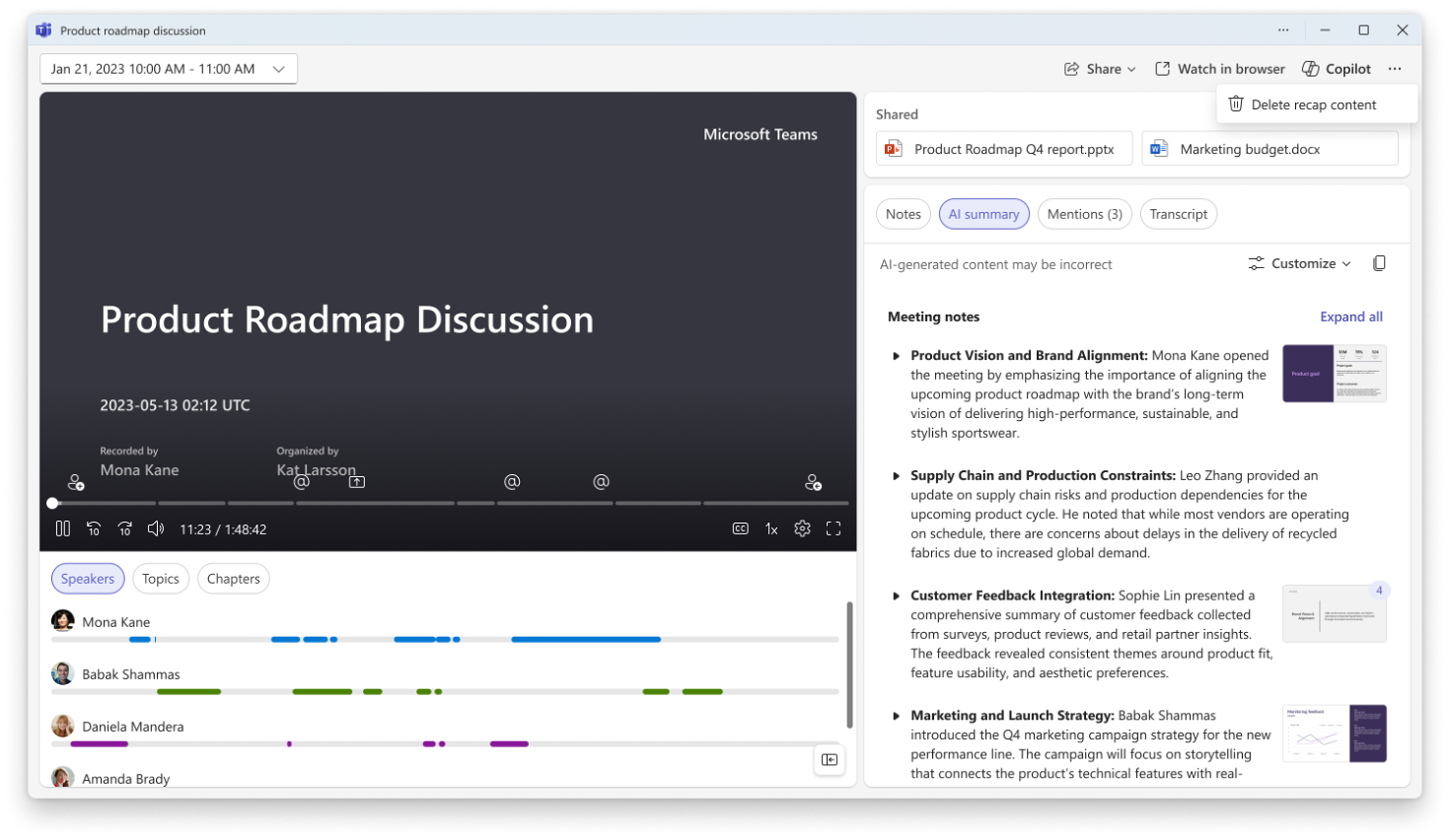
What is the “Delete Recap” feature?
Until now, when a Teams meeting was recorded and transcribed, all the generated artifacts remained accessible from the summary page:
- Video Recording
- The Transcript
- AI-Generated Summaries
- Meeting Notes
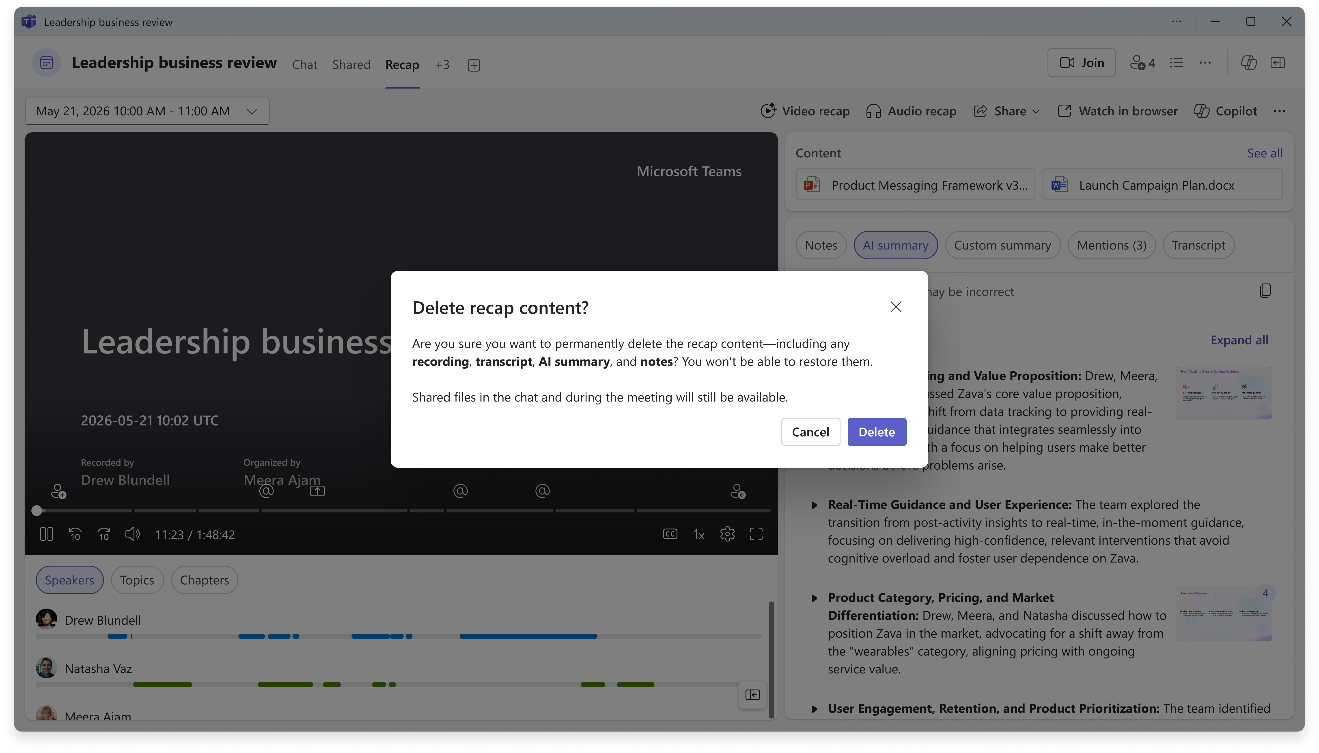
With this new feature, the organizer can now delete these items directly from the meeting summary page using the new ” Delete recap content” option.
a {
text-decoration: none;
color: #464feb;
}
tr th, tr td {
border: 1px solid #e6e6e6;
}
tr th {
background-color: #f5f5f5;
}
According to Microsoft, the following items can be permanently deleted:
- Recordings
- Transcripts
- AI summary
- Notes
However, files shared during the meeting are not deleted and remain available in their original location.
💡Good to know for Administrators?
text-decoration: none;
color: #464feb;
}
tr th, tr td {
border: 1px solid #e6e6e6;
}
tr th {
background-color: #f5f5f5;
}
However, it is important to note a few points:
- Deletion is permanent.
- Files shared during the meeting are not affected.
- Custom summaries are not included in this first version.
- Audio Recaps are also not being removed by this feature at this time.
For IT teams and compliance officers, this new development therefore warrants a review of the related internal procedures:
- data retention;
- Microsoft Purview retention strategies;
- on using Copilot;
- best practices for managing Teams meetings.
My Opinion
a {
text-decoration: none;
color: #464feb;
}
tr th, tr td {
border: 1px solid #e6e6e6;
}
tr th {
background-color: #f5f5f5;
}
Since the arrival of Copilot, we’ve been talking a lot about automated knowledge creation. But any effective governance strategy must also include the ability to manage, control, and delete this knowledge when appropriate.
This new development demonstrates that Microsoft continues to strike a balance between productivity and governance—an issue that is becoming increasingly strategic as organizations adopt generative AI on a large scale.

