


Meeting room screens often go unused between meetings. Yet they offer real potential for sharing information, strengthening corporate culture, and improving the employee experience.
With the new Digital Signage feature in Microsoft Teams Rooms on Android, Microsoft now enables IT administrators to transform room screens into true digital signage displays when no meetings are in progress. This feature, already available on Teams Rooms for Windows, has now been extended to the Android ecosystem.
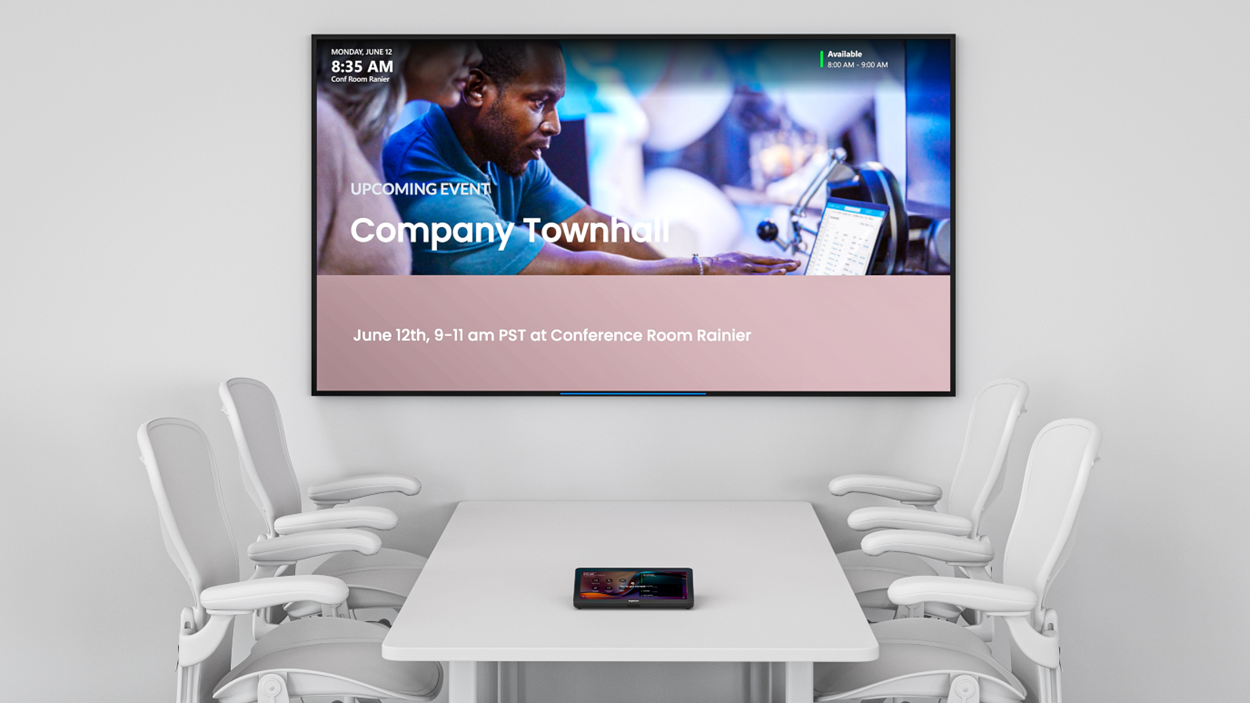
What is Digital Signage in Teams Rooms?
Digital signage allows content to be displayed automatically on the room’s main screen when it is not being used for a meeting or presentation.
The goal is simple: to use a screen that is already present in the workplace to convey relevant information to employees and visitors.
For example, an organization might display:
- Company News
- Upcoming Events
- Key Performance Indicators (KPIs)
- Power BI dashboards
- Room Usage Guides
- Welcome messages for visitors
- HR content or internal communications
Which partners are currently supported?
Microsoft has adopted an open approach by partnering with companies that specialize in digital signage.
Currently, the solution supports, among other things:
- Appspace
- XOGO
These platforms allow you to manage:
- Images
- Videos
- News Feed
- Dashboards
- Web Content
- Social Media
- Power BI Data
For Administrators
a { text-decoration: none; color: #464feb; } tr th, tr td { border: 1px solid #e6e6e6; } tr th { background-color: #f5f5f5; }
There are several prerequisites:
- Teams Rooms on Android is compatible
- Teams Rooms Pro License
- Access to the Teams Rooms Pro Management Portal
- Android version of Teams Rooms that supports digital signage
a { text-decoration: none; color: #464feb; } tr th, tr td { border: 1px solid #e6e6e6; } tr th { background-color: #f5f5f5; }
You can also:
- Set a default configuration for the entire tenant
- Assign different content to specific rooms
- Monitor the activation times for digital signage mode
- Decide whether or not to display the room information while the content is being streamed
My Opinion
a { text-decoration: none; color: #464feb; } tr th, tr td { border: 1px solid #e6e6e6; } tr th { background-color: #f5f5f5; }
I find this new feature particularly interesting because it gives meeting room screens a second life when they’re not in use. All too often, these screens remain blank or simply display the room’s status between meetings, even though they’re an excellent communication channel that’s already right there in the heart of workspaces.
a { text-decoration: none; color: #464feb; } tr th, tr td { border: 1px solid #e6e6e6; } tr th { background-color: #f5f5f5; }
With Digital Signage on Teams Rooms for Android, organizations can turn these moments of downtime into communication opportunities. Highlighting a company achievement, sharing a team success, announcing an upcoming event, or broadcasting a corporate message becomes a simple, modern, and user-friendly way to connect with employees in their day-to-day lives.
🔗Sources
- Microsoft | Learn | Digital Signage Setup
- Microsoft | Teams Blog | What’s New in Microsoft Teams | April 2026
- Microsoft | Microsoft 365 Roadmap | ID548647

