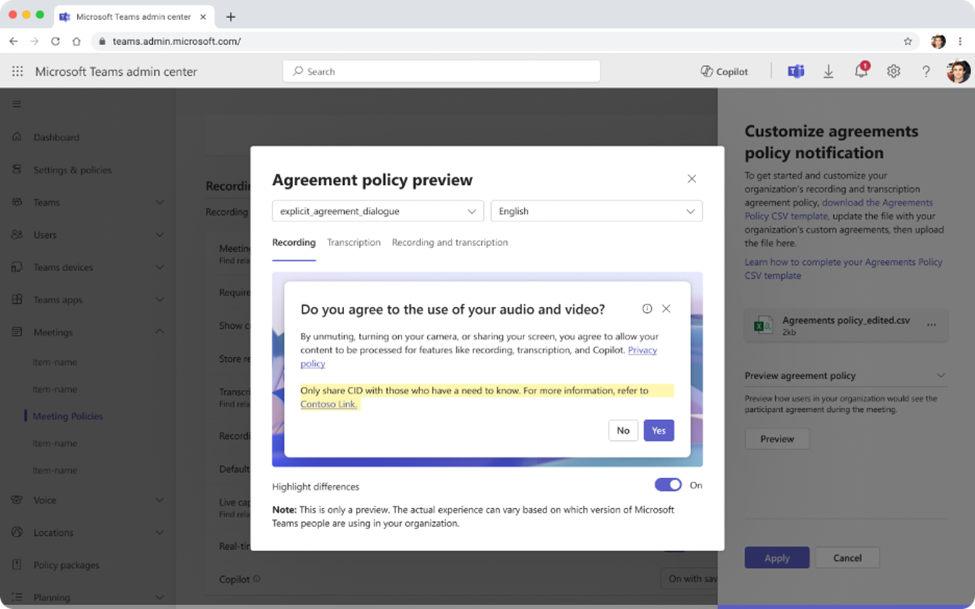


From January 2026, Microsoft Teams will enable IT administrators to customize notifications related to meeting recording and transcription. This new feature will enable consent messages to be aligned with internal policies and legal requirements specific to each organization.
What’s new?
- Administrators can define :
- A personalized message (limited to 200 characters) displayed in the banner or consent dialog.
- A privacy link adapted to your company’s policy.
- Default messages will remain visible if no custom text is set.
- Customization applies only to users assigned to a meeting policy where this option is enabled.
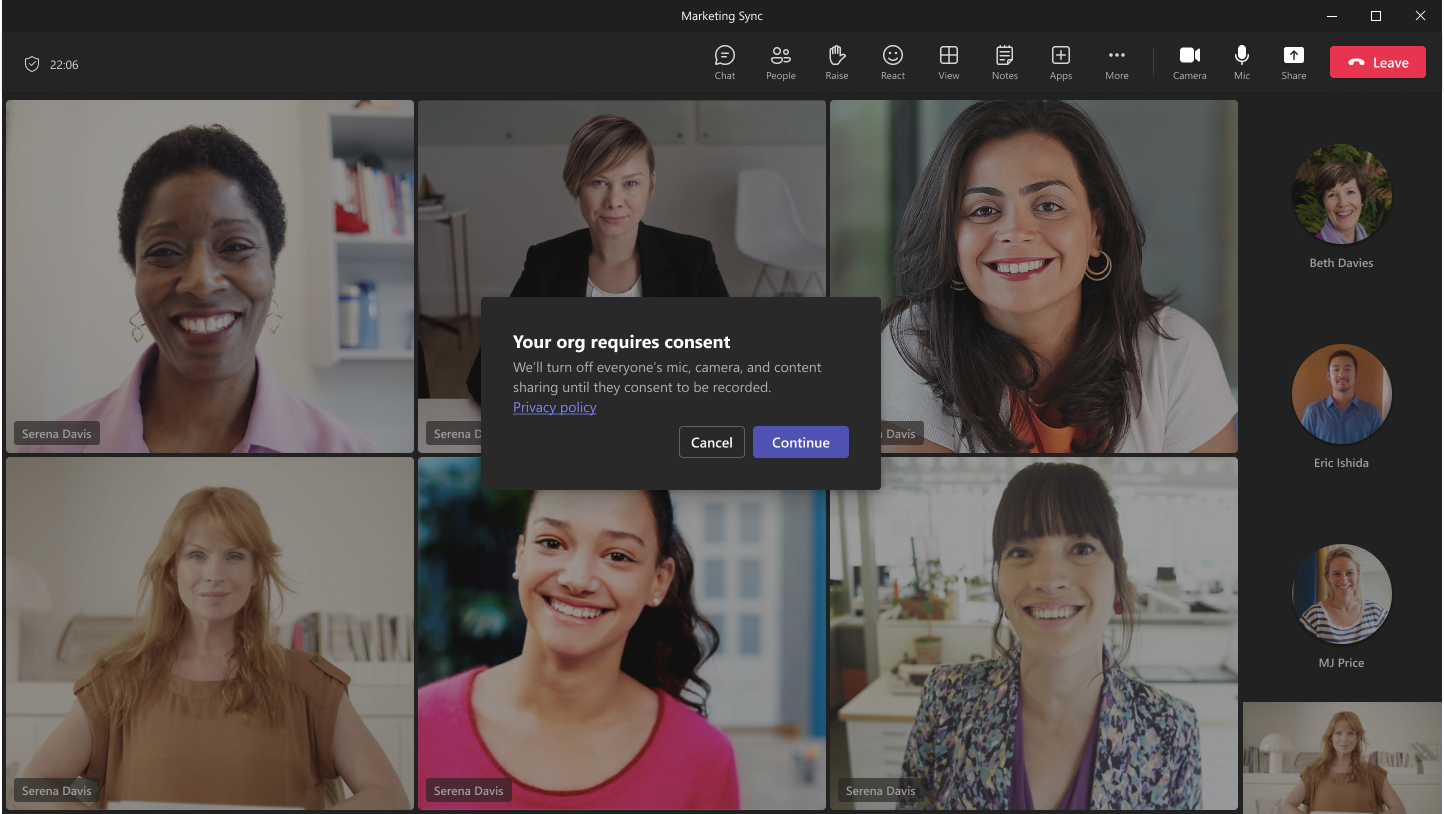
Deployment schedule
This feature is scheduled for deployment by the end of January 2026.
What’s the point?
This feature enhances compliance by aligning with local regulations and legal requirements specific to your organization. It improves transparency by clearly informing participants about the recording and transcription of your users’ meetings. Finally, it personalizes the user experience by reflecting your company’s culture and internal policies.
Actions to be planned
- Revise your meeting policies to incorporate appropriate messages.
- Respect the 200-character limit per message and per language.
- Configure functionality in the Teams administration center:
- Activate the “Display personalized notification” option.
- Download the CSV template, fill in your custom strings, then import.
- Test and validate the display via the preview before going into production.
- Activate explicit consent if your organization requires it.
Key points to remember
- If no personalization is defined, Teams keeps the default message.
- Language coverage is essential: without translation, the default message is displayed.
- Support for mobile clients will be added after general availability.