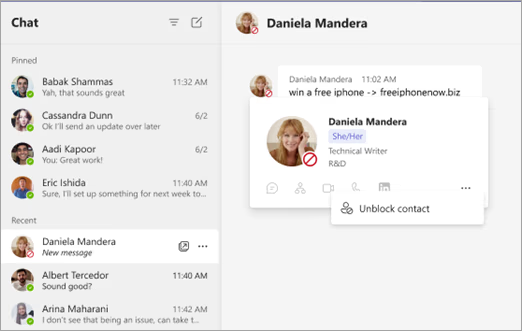
From January 2026, Microsoft Teams will enable organizations to block new internal 1:1 chats to reduce interruptions and reinforce compliance.
How does it work?
Administrators: activate the feature in the Teams Administration Center via email settings and assign a policy to the users concerned.
Users: when a new internal contact sends you a message, you can either Accept or Block. Blocking is silent (the sender is not notified) and can be cancelled at any time.
Key points
Applies only to internal 1:1 chats (not channels or meetings).
Available on Teams desktop and web
The objective here is simple: reduce unwanted solicitations and align communication with internal policies.